SQL & NoSQL
Monaco for SQL. JSON, tree, and grid views for MongoDB.
SELECT · FINDWrite queries, explore schemas, and make sense of results. The tools you need, together — right in your browser.
Open-source web app · No desktop install
9 engines. One place to work.
Query, schema, and editing capabilities vary by engine.
Monaco for SQL. JSON, tree, and grid views for MongoDB.
SELECT · FINDMove from table structures to clear relationships.
TABLE → RELATIONSaved queries, history, and drafts to pick up where you left off.
WRITE · SAVE · RETURNRead the grid, export data, or open a chart.
QUERY → INSIGHTAdd AI on your terms — choose providers and models by role.
Choose a workflow to see its actual interface.
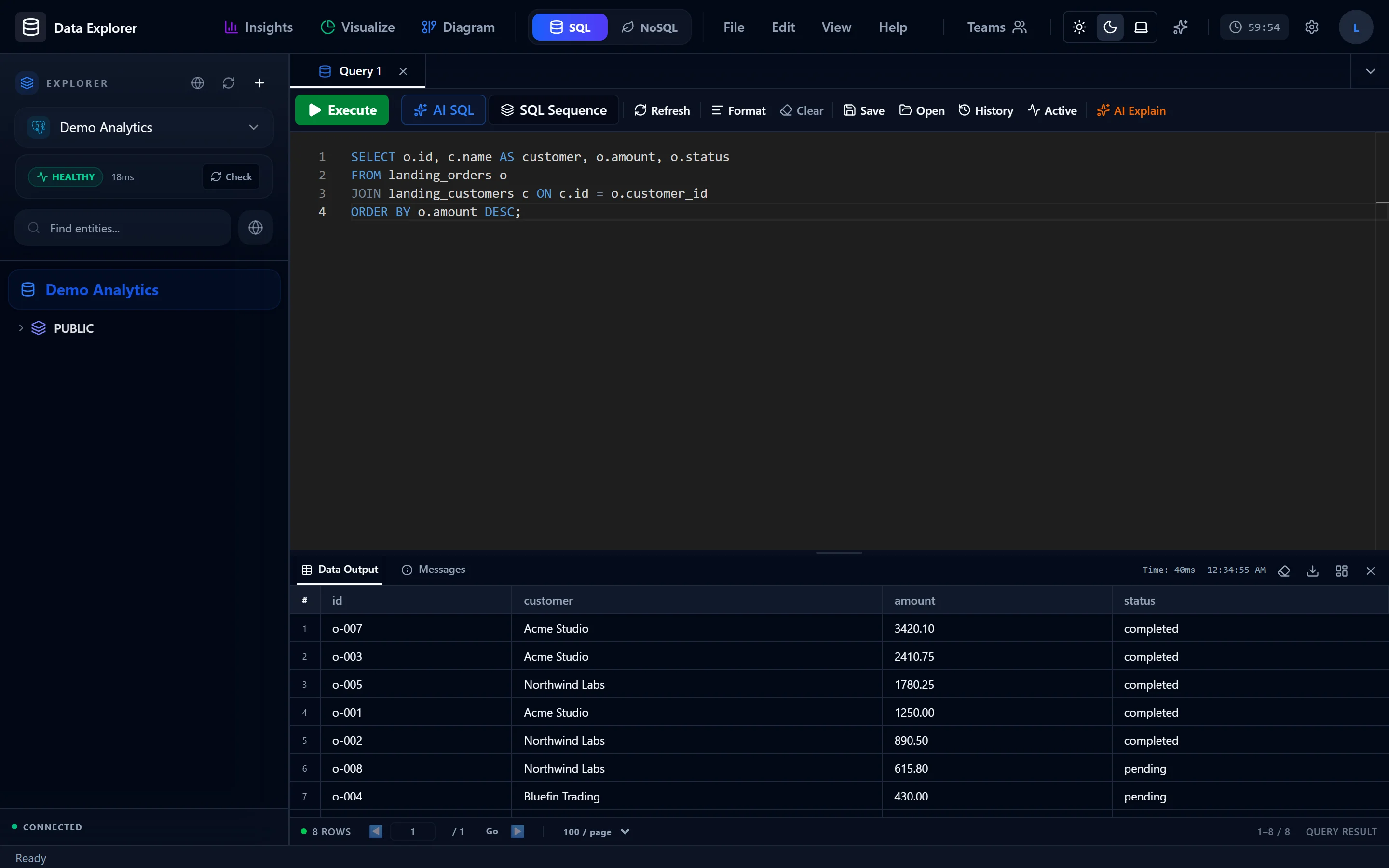
Write SQL in Monaco, inspect schema suggestions, and organize a script into steps. Decide when to run it, review history, and save your query without starting from scratch.
Read the query guide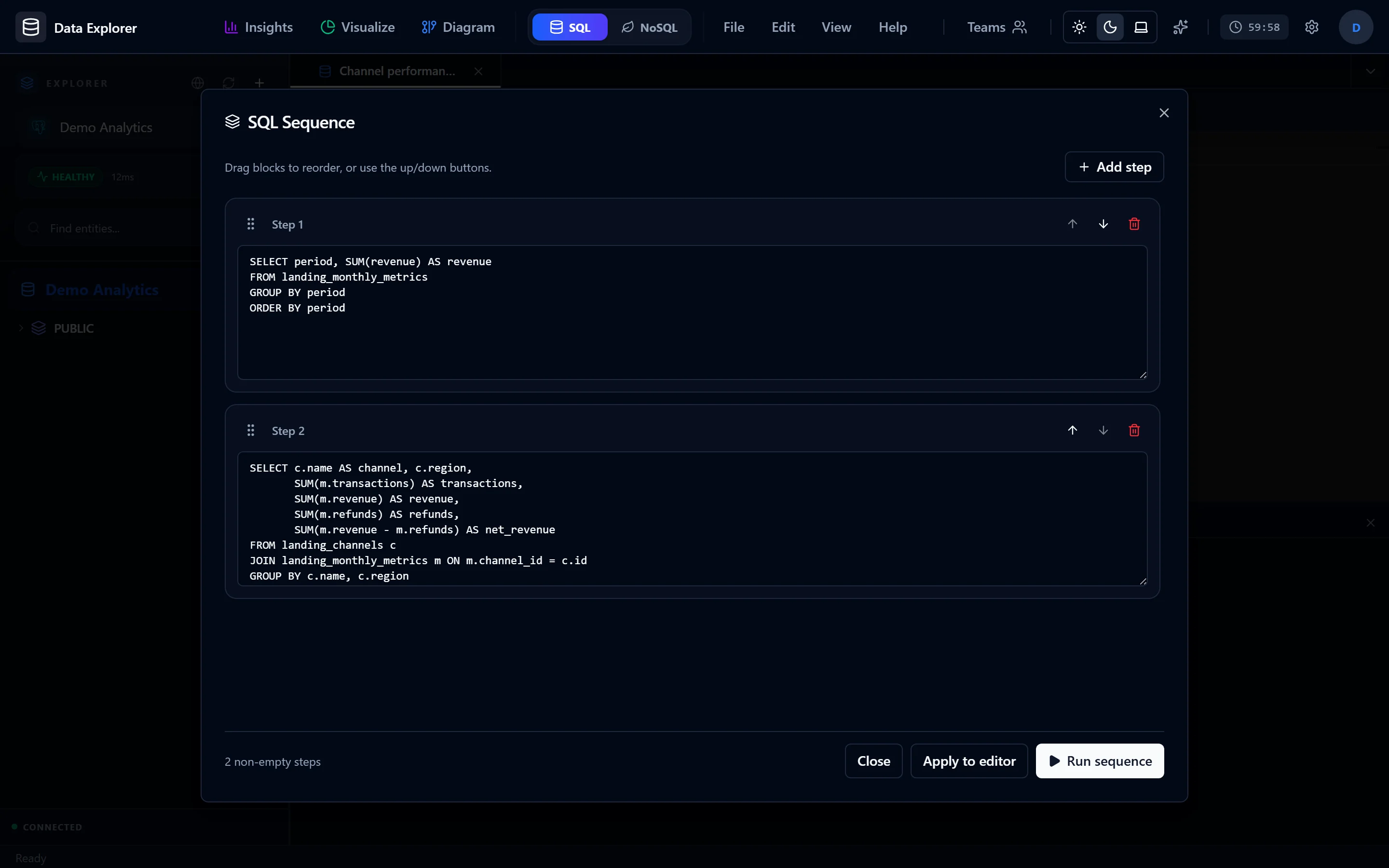 View full image
Draft queries, explain execution plans, and autocomplete. Choose providers and models by role, review proposals before running them — connection settings still govern execution.
 View full image
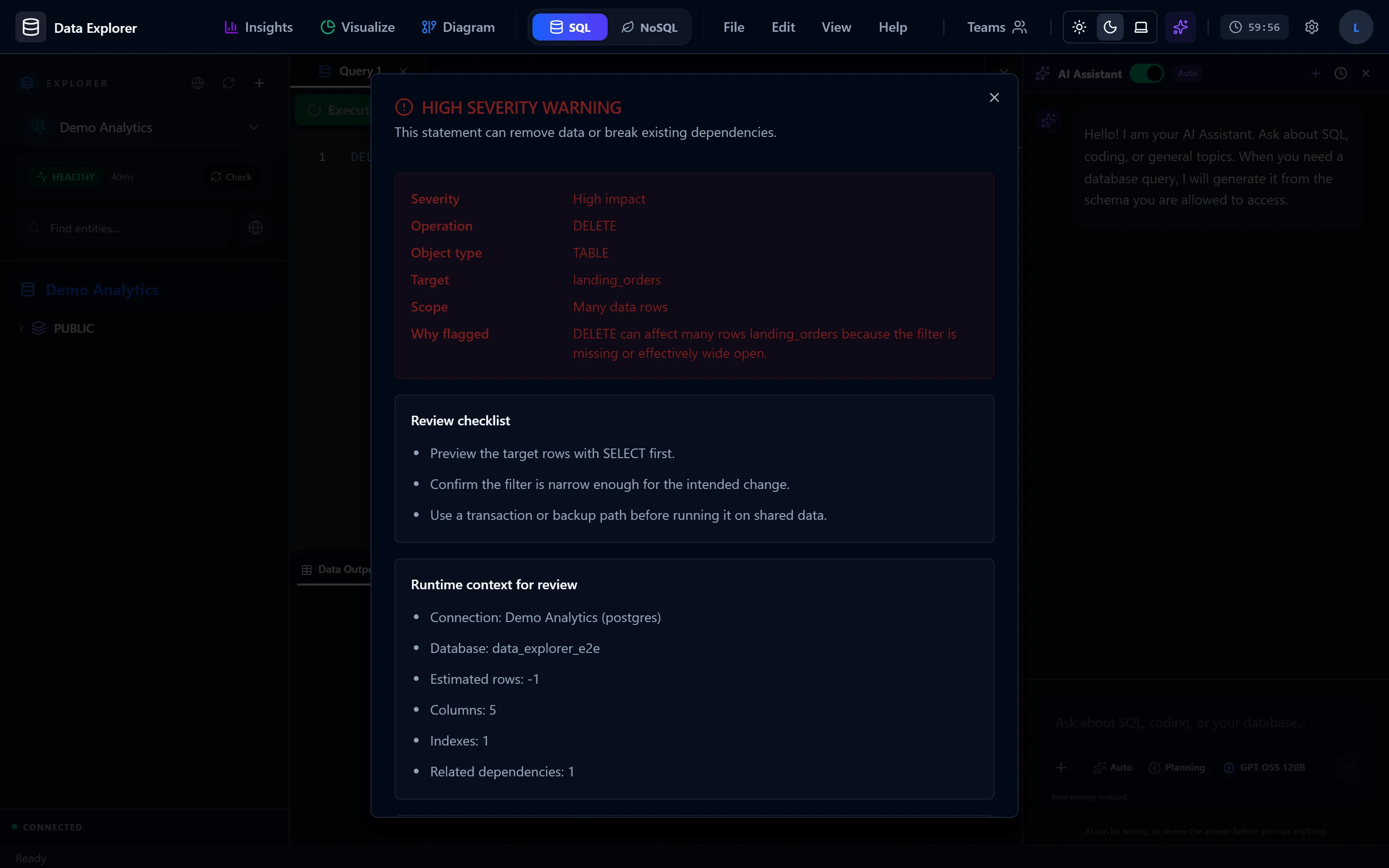
Demo data · Warning before an unconfirmed DELETE statement.
Pay in VND through MoMo and ZaloPay. USD prices are reference copy only.
For local exploration and personal projects.
A 30-day Pro access period. Feature entitlements are pending product approval.
A 365-day Pro access period. Feature entitlements are pending product approval.
MoMo and ZaloPay checkout activates Pro only after a confirmed provider webhook.
Nine engines are registered today: PostgreSQL, CockroachDB, MySQL, MariaDB, SQL Server, MongoDB (including Atlas SRV), SQLite, ClickHouse, and Redis. Query, schema, and editing capabilities differ by engine; check the documentation for the workflow that fits your database.
Data Explorer runs in the browser. The features need a backend: self-host with Docker Compose (which includes PostgreSQL and Redis for application data) or run development mode with Node.js 22. Databases you want to browse connect through saved connections — nothing extra installs on the client.
Saved connections are stored in the application database; passwords are encrypted with AES-256-GCM before they are written. TLS depends on the engine and connection/deployment settings; check these before using a remote database. Each connection can independently allow or block query execution, schema changes, and import/export.
By default the AI receives schema metadata (tables, columns, relations) rather than row values. Text you submit and files you attach go to the configured provider. You pick models per role under Profile → Configure AI, and you can add your own OpenAI-compatible provider.
Free includes the local SQL/NoSQL workspace, a basic AI assistant, and schema browsing. Pro is a 30- or 365-day status activated after a confirmed MoMo/ZaloPay webhook. The detailed Pro feature matrix is pending product approval, so it is not advertised on this page yet.
Use the web app or run it locally. No desktop download required.
Use the workspace in your browser. Sign in to get started.
Open workspaceBuild and run on your machine. Follow Quick Start for configuration.
Read Quick StartOpen source. Explore the code, report issues, or contribute.
View on GitHubDocker Compose is a local-development setup; production deployment needs separate configuration.Read the docs